EN
EN


 Service Hotline


As remote and mobile workforces grow, so do the risks that come with web-based threats. Employees now access company data from anywhere, coffee shops, airports, or home networks, making them prime targets for phishing attacks and malicious sites. Traditional network-based security solutions, once sufficient for office environments, often fail to protect users once they move beyond corporate firewalls.
This is where device-level protection comes into play. By extending security directly to endpoints, organizations can ensure consistent protection no matter where their employees connect from. The AppTec360 Secure Browser brings this vision to life, enforcing intelligent web filtering and phishing protection right at the device level.
TL; DR
This blog is for IT administrators, cybersecurity managers, and enterprise mobility teams in retail, healthcare, transport, and enterprises managing mobile or remote workforces.
- Introduction: Why web-based threats are rising and why traditional network security can’t protect remote users.
- The Mobile Security Challenge: How standard mobile browsers and off-network work expose employees to phishing risks.
- Device-Level Web Protection: Explains how protection that travels with the device ensures consistent security everywhere.
- AppTec360 Secure Browser Features: URL control, web filtering, phishing protection, EMM integration, and always-on security.
- Enterprise Benefits: Prevents data breaches, supports compliance, and secures BYOD and hybrid work models.
- Deployment & Management: Shows how IT admins easily configure and manage web policies via the AppTec360 console.
- Wrap-Up: Reinforces the importance of device-level protection.
Get a free trial of our MDM solution for up to 25 devices and see how easy managing your mobile ecosystem can be.
The Mobile Security Challenge in Hybrid Work
Mobile devices and standard browsers are indispensable for productivity, but they also introduce security gaps. “Out-of-the-box mobile browsers lack granular enterprise controls like enforced URL lists, category-based filtering, and policies designed to ensure a reduced risk of phishing. That means users can inadvertently reach malicious or compromised pages that harvest credentials or trigger drive-by downloads.
Hybrid work amplifies this risk. Outside the corporate network, employees are not protected by perimeter scanning and network-based filters. Public Wi-Fi and misconfigured home routers are fertile ground for man-in-the-middle attacks and credential interception. Phishing campaigns now use mobile-optimized pages and convincing social-engineering tactics that are harder to spot on small screens.
The consequences are severe. A single successful phishing attack can lead to credential theft, unauthorized access to corporate systems, lateral movement, and data exfiltration. Aside from immediate technical damage, organizations face regulatory penalties, remediation costs, lost productivity, and reputational harm. The financial and operational toll of mobile phishing breaches underscores the need for a dedicated, device-centric security approach.
Also Read
What is Device-Level Web Protection?
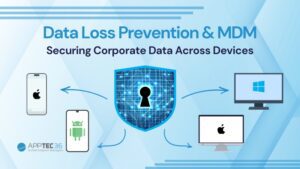
Device-level web protection shifts security from the network edge to the device itself. Unlike traditional filtering that depends on centralized firewalls or secure gateways, device-level protection ensures every request made from the device is monitored and controlled, regardless of location or network type.
This approach offers a major advantage: security that travels with the device. Whether the user is connected to office Wi-Fi, a public hotspot, or mobile data, the same policies and protection apply. This consistency ensures enterprises maintain control and visibility across all endpoints, strengthening their overall security posture.
AppTec360 Secure Browser: Key Features
The AppTec360 Secure Browser is designed to extend enterprise-grade web protection to every mobile device. Its key features include:
- URL Whitelisting/Blacklisting – Define exactly which websites employees can or cannot access, reducing exposure to risky domains.
- Advanced Web Filter – Automatically blocks malicious sites and filters inappropriate or unproductive content categories.
- EMM Integration – Seamlessly integrates with the AppTec360 Enterprise Mobility Management (EMM) platform for centralized policy control and updates.
- Always-On Protection – Security remains active across all networks, ensuring no gap in defense, even outside corporate boundaries.
Benefits for Enterprise Security
By adopting AppTec360 Secure Browser, enterprises can:
- Prevent credential theft and data breaches through proactive blocking of malicious sites.
- Support compliance with data protection and privacy regulations.
- Gain visibility into web usage patterns across the entire device fleet.
- Enable secure BYOD and hybrid work, protecting both corporate and personal devices.
- Strengthen defense-in-depth when combined with AppTec360’s broader security suite, including mobile device management and data encryption tools.
Also Read
Deployment and Management
For IT administrators, deploying and managing AppTec360 Secure Browser is straightforward. Using the AppTec360 console, you can easily configure security policies, set up web filtering rules, and control URL access lists.
Policies can be customized for different teams or departments, offering the flexibility to align with specific operational needs. This balance ensures that while employees remain protected from threats, they also retain the freedom to work productively without unnecessary restrictions.
The centralized management model ensures that all devices, whether corporate-owned or part of a BYOD policy, receive consistent updates and monitoring from one unified platform.
Get a free trial of our MDM solution for up to 25 devices and see how easy managing your mobile ecosystem can be.
Wrap-Up
In today’s distributed work environment, device-level web security is no longer optional; it’s essential. The AppTec360 Secure Browser extends enterprise protection directly to the user’s device, ensuring safe browsing and real-time phishing defense wherever employees work.
It’s time to rethink how your organization secures mobile browsing. Evaluate your current protection strategy or request a demo to experience how AppTec360 can keep your workforce secure, connected, and compliant.
Looking to secure your mobile workforce? Explore AppTec360 Secure Browser or contact our team to see how we can protect your devices from phishing and unsafe websites, wherever your employees work.
FAQs
1. How does device-level web protection differ from traditional network-based security?
Traditional network-based security depends on firewalls and gateways within corporate networks. Device-level web protection, like AppTec360 Secure Browser, enforces security policies directly on the device, ensuring consistent filtering and phishing protection even when users are off the corporate network.
2. Can AppTec360 Secure Browser be managed alongside other enterprise mobility tools?
Yes. AppTec360 Secure Browser integrates seamlessly with the AppTec360 Enterprise Mobility Management (EMM) platform, allowing IT teams to configure, monitor, and update web security policies centrally for all managed devices.