EN
EN


 Service Hotline


In today’s workplaces, mobility is no longer optional; it’s a necessity. Employees use smartphones, tablets, and laptops to stay productive from anywhere, which makes managing and securing these devices a top priority. This is where Mobile Device Management (MDM) comes in. With the right solution in place, organizations can balance flexibility and security while reducing IT headaches.
TL;DR
Who this blog is for: IT managers, business owners, and decision-makers looking to securely manage mobile devices and streamline endpoint operations.
- Why MDM is essential in modern workplaces with mobile and remote employees.
- What MDM is and how it manages both corporate and BYOD devices across multiple platforms.
- Overview of cloud, on-premises, and managed service deployment models.
- Device enrollment, security controls, app management, policies, monitoring, and kiosk/digital signage functionality.
- Explains MDM as part of a broader enterprise mobility and unified endpoint management strategy.
- Simplified IT, enhanced security, user privacy, and scalability for growing organizations.
- Steps to pilot, enroll devices, and roll out MDM effectively.
- Reinforces MDM’s role in protecting data and enabling flexible, secure mobile operations.
Get a free trial of our MDM solution for up to 25 devices and see how easy managing your mobile ecosystem can be.
Core Idea of MDM
At its heart, Mobile device management (MDM) is about giving IT teams the ability to manage and secure devices centrally. Whether the device is corporate-owned or brought in under a BYOD (Bring Your Own Device) policy, MDM makes it possible to configure settings, enforce security measures, and monitor compliance.
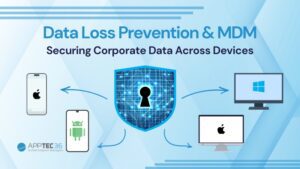
The strength of a good MDM solution lies in its flexibility. It supports multiple platforms like iOS, Android, Windows, and macOS, allowing companies to manage a diverse device fleet from a single place. This means less time spent troubleshooting, fewer risks of data loss, and a smoother experience for employees.
Deployment Options
Different organizations have different requirements, and MDM can adapt to those needs. There are three main ways businesses can deploy:
- Cloud-based: Ideal for companies that want quick setup without dealing with hardware or infrastructure.
- On-premises: A suitable choice for organizations with strict security or compliance needs, where all data and systems stay inside their own environment.
- Managed Service Model: For businesses that prefer to outsource complexity, managed providers can handle device rollouts, maintenance, and support across the entire lifecycle.
This flexibility ensures companies of all sizes can find a model that fits their operations.
Key Features of MDM
So, what does MDM actually deliver? At the functional level, it’s about simplifying the management of mobile devices while protecting company data. Key capabilities include:
- Device enrollment and onboarding: Quickly bringing new devices under management, whether they’re corporate or personal, with automatic setup of email, Wi-Fi, VPN, and security policies.
- Security controls: Enforcing encryption, detecting jailbroken or rooted devices, separating business and personal data, and remotely locking or wiping lost devices.
- Application management: Controlling which apps can be installed, offering an internal app catalog, and blocking unauthorized applications.
- Configuration and policies: Pushing out settings such as Wi-Fi access, certificates, or restrictions to groups of devices to ensure consistent compliance.
- Monitoring and reporting: Keeping track of device status, compliance levels, and potential risks, so IT teams can act quickly when issues arise.
Some solutions also provide specialized modes such as kiosk or digital signage, where devices can be locked down to run only specific apps or display predefined content. This is particularly useful in retail, education, or customer-facing environments.
Note:
- MDM (Mobile Device Management): Focuses on managing and securing smartphones, tablets, and other mobile endpoints.
- EMM (Enterprise Mobility Management): A broader approach that includes MDM along with mobile application and content management, plus BYOD policies.
- UEM (Unified Endpoint Management): Extends beyond mobile to cover all endpoints, laptops, desktops, and other devices under one management platform.
How MDM Fits into the Bigger Picture
While MDM is powerful, it’s only one layer of a broader endpoint management strategy. Businesses today often need more than just mobile oversight; they need visibility across laptops, desktops, and other endpoints, too.
That’s where concepts like Enterprise Mobility Management (EMM) and Unified Endpoint Management (UEM) come in. MDM covers the mobile layer, but EMM expands into areas like app and content management, while UEM brings all devices, mobile and otherwise, under one umbrella.
For organizations looking to streamline operations, the key takeaway is that MDM doesn’t exist in isolation. It’s an entry point into a more complete approach to endpoint security and management.
Get a free trial of our MDM solution for up to 25 devices and see how easy managing your mobile ecosystem can be.
Benefits of MDM for Businesses
Adopting MDM brings measurable advantages:
- Simplified IT operations: Centralized tools reduce manual work and free up IT resources.
- Enhanced security and compliance: Built-in controls and remote capabilities keep sensitive data safe and support regulatory requirements.
- User privacy: Clear separation between personal and professional data ensures employees’ own information remains private.
- Scalability: As businesses grow, MDM can scale to support more users, more devices, and more complex use cases.
The result is a more secure, efficient, and user-friendly workplace, no matter where employees are working from.
Also Read
Getting Started
For businesses considering MDM, the first step is usually a trial or pilot program. This allows IT teams to test features like enrollment, app management, and policy enforcement on a small scale before rolling them out widely. From there, organizations can decide which deployment model, cloud, on-premises, or managed service, best aligns with their long-term strategy.
Clear goals at the start are important: whether it’s stronger security, reduced IT workload, or enabling BYOD policies, knowing the priorities helps ensure a smoother rollout and better results.
Wrap-Up
Mobile Device Management has become an essential tool for modern workplaces. It gives organizations the ability to secure data, simplify device oversight, and provide employees with the flexibility they need to work effectively. And as part of a larger endpoint management strategy, MDM lays the groundwork for a more unified and secure digital environment.
For companies navigating today’s mobile-first world, adopting the right MDM solution is less about luxury and more about necessity. Done right, it brings peace of mind to IT teams and seamless experiences to employees, all while keeping business data protected.
Looking for a customized solution? Explore our MDM services or contact our team to discuss how we can help secure your mobile environment in line with modern challenges.
FAQ’s
1. What types of devices can be managed with MDM?
MDM supports a wide range of devices, including smartphones, tablets, laptops, and even specialized endpoints. It works across major platforms like iOS, Android, Windows, and macOS, making it suitable for both corporate-owned and BYOD devices.
2. How does MDM protect business data if a device is lost or stolen?
MDM allows IT teams to remotely lock or wipe a device, ensuring sensitive company data doesn’t fall into the wrong hands. It can also separate personal and business data, so employee privacy remains intact.