EN
EN


 Service Hotline


Modern classrooms look nothing like they did a decade ago. iPads, tablets, and laptops have become everyday learning tools and with that shift comes a real responsibility: keeping every device, and every user, secure. For IT administrators and school leaders, managing hundreds or thousands of endpoints across students and staff is no small task. That’s where Mobile Device Management (MDM) software becomes not just useful, but essential.
AppTec offers a purpose-built MDM solution that helps educational institutions centrally manage, configure, and secure devices across iOS, Android, macOS, and Windows, all from a single, intuitive console.
TL; DR
This blog is useful for school IT administrators, Ed-tech coordinators, and anyone responsible for managing and securing student and staff for devices across a school or district.
Here’s what you’ll learn:
- Why device security in education is more critical than ever and the real risks of unmanaged endpoints pose to schools.
- The common challenges, mixed device environments, BYOD, unauthorized apps, and data exposure, make school device management complex.
- How AppTec360 tackles these with centralized control, cross-platform support, Apple School Manager integration, app management, and DLP features.
- The privacy and compliance advantage: GDPR-compliant infrastructure built to protect sensitive student and staff data.
- Why AppTec360 is a strong fit for schools seeking a simple, scalable, and affordable MDM solution without compromising security.
Why Device Security in Schools Can’t Wait
The education sector has become one of the most targeted industries for cyberattacks. According to a 2024 report by Malwarebytes ThreatDown, ransomware attacks on K-12 schools increased 92% between 2022 and 2023, with 98 documented attacks in 2023 alone. The financial toll is equally alarming: a Sophos study found that lower education institutions paid a mean ransom of $7.46 million in 2024, the highest of any sector.
Beyond ransomware, schools store highly sensitive data: student records, staff information, financial data, and protected health information. Without proper device management and security policies in place, a single lost or unmanaged device can become a major breach of vectors.
The urgency is clear. What schools need is a centralized solution that brings all endpoints under control, without disrupting the learning environment.
Get a free trial of our MDM solution for up to 25 devices and see how easy managing your mobile ecosystem can be.
What AppTec360 Brings to the Classroom
AppTec360’s is trusted by over 6,400 organizations in 107 countries. It’s designed to make device management straightforward, not a burden on already stretched IT teams.
Here’s what the platform delivers for schools:
- Centralized Device Control IT administrators can manage all student and staff devices from one dashboard. Whether it’s pushing app updates, enforcing security policies, or remotely wiping a lost device, every action is available over-the-air; no physical access required.
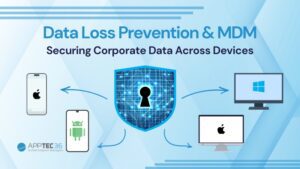
- Cross-Platform Support AppTec360 supports Apple iOS, macOS, Google Android, and Microsoft Windows. Schools running mixed device environments for iPads for students and Windows laptops for staff, for example, can manage everything from a single console.
- App and Content Management Schools can deploy, configure, and restrict apps centrally. Approved apps go out instantly; non-educational or unauthorized applications can be blocked via whitelist/blacklist policies. AppTec’s Mobile Content Management also allows secure distribution of learning materials through an encrypted ContentBox.
- BYOD Support Many schools allow students or staff to use personal devices. AppTec360’s BYOD capabilities separate personal and institutional data using Dual Persona technology, ensuring school data stays protected without intruding on private content.
- Data Loss Prevention (DLP) Features like camera blocking, cloud sync restriction, and encrypted communication help prevent sensitive information from leaving the school network unintentionally.
Apple School Manager Integration
For schools running Apple devices, AppTec360 integrates seamlessly with Apple School Manager (ASM), Apple’s free web-based portal for managing iPads, iPhones, MacBooks, and Apple TVs in educational settings.
Through this integration, schools can:
- Automatically enroll new devices without physical setup (Automated Device Enrollment (ADE))
- Create managed Apple IDs for teachers and students, giving them access to iCloud, Apple Schoolwork, iWork, and Notes
- Assign apps, books, and content directly to specific classes, students, or teachers
- Connect with an Electronic Student Information System for organized class management
- Use Apple Classroom Manager to control student devices during lessons, restricting websites, locking screens, and directing focus where it’s needed
AppTec MDM was developed in Germany and Switzerland and is built to comply with strict EU data protection regulations (GDPR). For schools, this means a solution that takes student privacy seriously by design.
Also Read
Managing Staff Devices Securely
Device management in schools isn’t only about students. Staff devices used for grading, communication, scheduling, and sensitive administrative tasks require their own set of policies and protections.
With AppTec360, IT teams can:
- Enforce password policies and certificate-based security on staff devices
- Configure VPN connections (including Always-On and Per App VPN) to secure remote access
- Segment staff and student device groups with different policy profiles
- Monitor compliance across all endpoints and generate reports for IT oversight
- Remotely lock or wipe devices reported lost or stolen protecting confidential data instantly
The platform’s role-based access controls ensure that different device groups for teaching staff, admin staff, and students, each operate under appropriate permissions and restrictions.
Simple to Deploy, Easy to Scale
One of the most common barriers for schools adopting MDM is the fear of a complicated rollout. AppTec360 addresses this directly.
The solution is available both as a cloud-hosted option (no setup costs, no infrastructure overhead) and as an on-premises Virtual Appliance for schools that require local data control. A managed service provider option is also available, where AppTec partners handle device deployment, configuration, and lifecycle management from end to end.
The admin console is intentionally designed to be intuitive even for IT teams without deep mobility management experience. With a free trial available and live demo sessions on request, schools can explore the full platform before committing.
Securing the Future of Learning
Schools are responsible for some of the most vulnerable users and most sensitive data in any sector. As device use in education continues to grow, so does the need for a structured, secure approach to managing those devices.
AppTec360 gives educational institutions the tools to stay in control, from the first day a device is enrolled to the moment it needs to be retired. With support for Apple School Manager, cross-platform device management, robust data protection, and GDPR compliant infrastructure, it’s a solution built for the real challenges schools face today.
Looking to simplify device management across your school? Contact our team to review your current setup and see how AppTec360’s Mobile Device Management platform can keep your student and staff devices secure, compliant, and classroom ready.
FAQ’s
Can AppTec360 manage both student and staff devices on one platform?
Yes. AppTec360 supports iOS, Android, macOS, and Windows from a single console, with separate policy profiles for students and staff.
Is AppTec360 compliant with student data privacy regulations?
Yes. Built in Germany and Switzerland, AppTec360 is fully GDPR compliant, ensuring sensitive student and staff data stays always protected.